Posts

Windows Updates Screwed Up My Laptop. So Bye, Bye Windows!

Image
Windows is not activated, my goodness! Windows 10 Professional was pre-installed on my Dell Inspiron 5480 when I bought it. I kept it there and kept it updated just in case I need to use any Windows application one day. Until yesterday when as usual Windows suggested another updates. I can't remember all of them but they were Windows 10 version 1909 , Intel related stuff and others . As usual I just let them all run. However this time it went really really wrong. First after a few times restarts I noticed a defaced desktop : the usual wallpaper was set to the default one and the theme was also different because the icons looked different. And second , to my horror, I saw in the Settings that Windows is now not activated !!! What the hell had happened! I shut down the system just to make sure this was only temporary. The laptop rebooted, but I noticed the grub menu for dual boot had disappeared . It booted directly into Windows. And the defaced desktop and the deactivated Wind...

Solving Snap Issue with Kubuntu 20.04 (Problem with Chromium Installation)

Image
Kubuntu 20.04 on Dell Inspiron 5480 I have had another issue with Kubuntu. Really strange that as an Ubuntu-based distro Kubuntu has a few problems while the others don't. This time Kubuntu has problem installing chromium browser. As you may know Ubuntu has shifted Chromium to snap in 20.04. So when I tried to install chromium with sudo snap install chromium I got this error "error: cannot communicate with server: timeout exceeded while waiting for response" I checked the snapd status and it was running... So I didn't have any idea. Until by chance I found out the error has to do with missing snap-store. In short after I installed snap-store everything runs well. Oh... Kubuntu.

Solving the Issue with Virtualbox Raw Host Hard Disk Access

Image
The solution to the boot issue provided by Lifehacker Recently I wanted to boot a physical Ubuntu installation in a Virtualbox machine. The target Ubuntu is in the partition 5 on the same disk where the host is (also an Ubuntu 20.04 OS) on partition 6. I followed the instruction provided by Virtualbox here  and this one from serverwatch.com . However when I tried to create the vmdk file with this command: VBoxManage internalcommands createrawvmdk -filename ubuntu.vmdk -rawdisk /dev/nvme0n1 -partitions 5 I couldn't go past the error VERR_ACCESS_DENIED. Even the solution posted here on superuser.com didn't help. After wasting some time with this issue I finally found the solution: the user should have the right to access the disk , so make sure your user account is included in the group disk (/etc/group). So the first hurdle passed.  Please note however in the end I didn't proceed with accessing the Ubuntu installation on my ssd, where my host OS also resides. I find it t...

Solving Display Issue with Kubuntu 20.04 in Virtualbox

Image
Kubuntu Virtualbox Settings I must not be the only one with this problem, so I decided to write down this solution to help others. After using Ubuntu 20.04 for almost two weeks and being very happy with it I could resist the temptation to test some Ubuntu-based distros in Virtualbox. Most of them work flawlessly with the exception of Kubuntu 20.04. Kubuntu would always boot with 800x600 resolution. And every time I changed the settings to a higher resolution Kubuntu would revert back to that low resolution display. I thought the issue would resolve by installing the Virtualbox Guest Additions, however the problem persisted. After trying different settings without success I changed the Graphic Controller in Kubuntu Virtualbox Settings to VBoxVGA ( see the picture above ). Of course as you can see in that picture Virtualbox fires a warning of Invalid settings detected . But this "invalid setting" solves the issue at least partially . Now Kubuntu can resize to diffe...

Kotlin, Flutter and the rest

Image
St. George's Parish Church, Beckenham UK Note: The magnificent view of the St. George's above is yours if you sit in one of the cafes opposite. I know, it's become a trend recently that coders like going into a cafe to accomplish their work. And what is more delight than writing some codes while enjoying the wonderful sight of the St. George's Church above? Time is precious and limited. So it's high time to be more organised with the time for programming First of all, it's good to know that Googlers are heavily promoting Kotlin. So I think the best way forward is to switch to Kotlin. As a beginner I don't have the priviledge to master many languages in the same time. But then a friend of mine raised my attention to multi-platform language. One language to rule them all: Android, iOS, web, desktop. Hmmm.... Kotlin has been also trying to do exactly the same although it is still in early stages. Should I concentrate more on this and spend less ti...

Programming challenges

Image
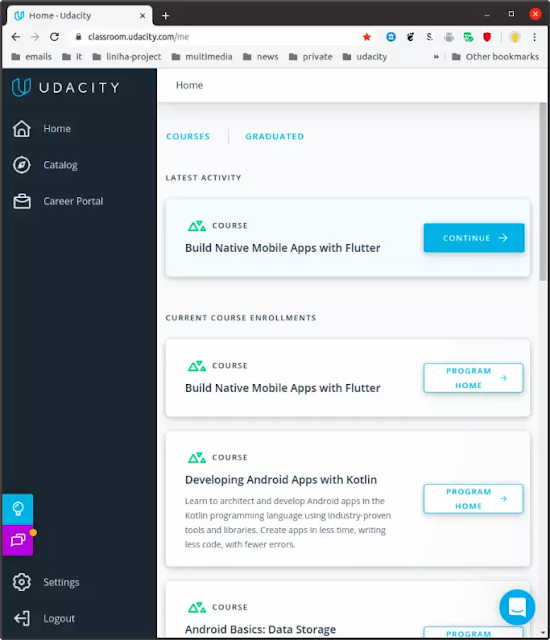
In April this year I started my beginner course in Android programming at Udacity. It was somehow bumpy experience. Especially because the course materials, the video tutorials in particular, were outdated (some were created in 2014 when the stand of Android was far in the past). Google/Udacity didn't bother to upgrade the course, but they allow people to enroll. Why was this an issue? Because along the way there were a lot incompatibility which created a lot issues in the Android Studio and Gradle system. Facing those issues as a beginner was not as simple as googling it. The tutors would say google the solution on stockoverflow. And as soon as you arrive there you are confronted by answers which are not for beginners in mind. The tutors were very quick in response, but they don't give you the answers, they just tell you to google and search stockoverflow (Hmmm... ). However the main challenge of the programme was that as soon as I graduated I found out Google had made...

GuNews version 2

Image
GuNews v.2 The GuNews app was updated to version 2. No shiny features, but a few things were added to improve user experience. However the biggest improvement is the potential of data usage reduction. For that there is now an additional switch in the Settings. With it the user can opt out from showing the images in the news list and showing only text. Admittedly it's much more appealing to look at the headlines with relevant images, but that because I'm not concerned of my data usage. Even better I also implemented the Android paging library in the app, which means the app would only fetch necessary headlines. Initially only 10 headlines, which is needed to show on the list. And on the fly the app will fetch more as soon as the user scrolls down the list. The list of changes in this version: Added switch in the Settings for hiding images and tweaked Android paging (to reduce data usage) Code rewriting to adhere to one activity principle. Improved news search func...